Website design for insurance brokers is different from a general small-business site. A broker sells advice and choice across several carriers, often to businesses with specific risks, and the website has to show that before anyone picks up the phone. In this guide I’ll walk through the pages a broker website needs first, how to handle niche programs and commercial clients, what to put on service pages for existing clients, and how to make sure every quote request reaches the right person.
What makes a broker website different
A captive agent’s website mostly points to one brand. A broker’s website has a harder job. It has to explain why comparing carriers helps the client, show that the team understands the client’s industry, and still feel simple enough that a busy owner fills in a form.
Most broker visitors fall into three groups:
- New prospects who are shopping, usually because a renewal went up or they are starting something new.
- Existing clients who need something done: a certificate of insurance, a policy change, a claim.
- Referral partners such as accountants, lenders, real estate agents and contractors who send business your way.
Good website design for insurance brokers gives each group its own clear path from the home page. If all three land on one generic “Contact us” form, your team ends up sorting requests by hand.
The pages to build first
You don’t need fifty pages on day one. These are the pages I would build first, in this order:
- Home page that says who you insure, where, and how to start a quote, in the first screen.
- One page per line of coverage you actively want to sell: business owners policies, general liability, commercial auto, workers’ compensation, home, auto, life. Each page should explain who it is for, what usually affects the price, and what you need from them to quote.
- Industry or program pages for the niches you know well (more on these below).
- About and team page with real photos, roles, and the states you are licensed in.
- Client service page for existing clients.
- Claims help page with carrier claim numbers or links and what to do first.
- Contact page with your office address, hours, phone and a short form.
If you only have budget for part of this, the coverage pages and the client service page usually pay off fastest. For the quote pages themselves, my insurance agency website guide covers what to put on each one.
Niche and program pages that win commercial clients
Many brokers grow by focusing on a few industries: contractors, restaurants, trucking, nonprofits, medical offices, property managers. A business owner in one of those industries wants a broker who already understands their risks. A dedicated page shows that much better than a line on the home page.
A strong industry page for a broker includes:
- The coverages that industry usually needs, in plain language.
- Common gaps or mistakes you see in that industry (without scaring people).
- What information you need to quote, so the owner can gather it before calling.
- A short quote form with fields that make sense for that industry.
- Answers to two or three questions owners in that industry actually ask.
These pages also help with search. Someone searching for insurance for a landscaping business is far more likely to contact a broker whose page talks about landscaping than one with a general “commercial insurance” page.
Service pages for existing clients
This is the part most broker websites skip, and it’s one of the most useful. Existing clients call and email for the same few things every week. A clear client service page cuts those calls down and makes your agency look organized.
Certificate of insurance requests
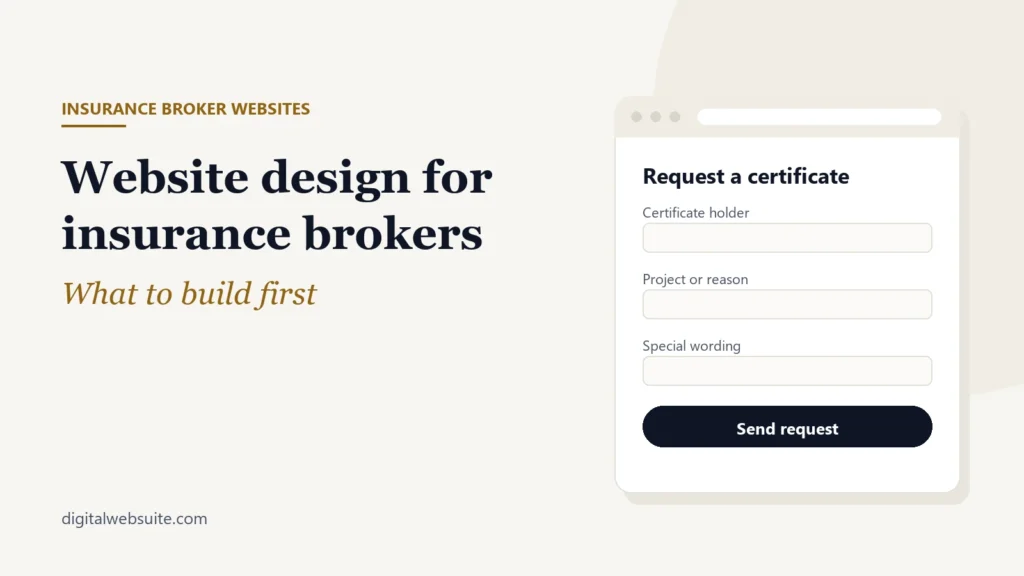
Commercial clients often need certificates of insurance quickly, for a new job or a new landlord. A simple certificate request form that asks for the certificate holder’s name and address, the project or reason, and any special wording saves a lot of back-and-forth. Make sure the form sends to the person or shared inbox that actually issues certificates.
Policy changes and documents
Add short forms or clear instructions for common changes: adding a vehicle or driver, changing an address, adding an additional insured. If your carriers or agency system offer an online client portal, link to it from this page with a short explanation of what clients can do there.
Claims
When someone has a claim, they are stressed. Put carrier claim phone numbers or links in one place, plus a short “what to do first” list, and tell them how to reach your office for help.
Trust details brokers should show
Insurance is a trust purchase. A visitor is deciding whether to share business details, payroll figures or driving records with you. The details that help most are simple:
- Your agency’s legal name, office address and phone number on every page.
- The states you are licensed in, and license numbers where your state requires them.
- Real team photos and names instead of stock photos.
- Carrier logos only where you have permission to use them, following each carrier’s brand rules.
- Reviews from real clients, shown in a way your state’s rules allow.
- A privacy policy that explains how you handle the information people send through forms.
Keep compliance wording accurate. Coverage descriptions should be general and point people to the policy documents. If you are unsure about wording, ask your compliance contact or agency association before it goes live.
Forms, follow-up and tracking
A broker website is only as good as what happens after someone submits a form. Three things matter:
- Routing. Personal lines, commercial lines, certificates and claims often go to different people. Send each form to the right inbox, and send a copy to a shared one so nothing is missed when someone is out.
- Fast response. Shoppers often contact more than one agency. An automatic confirmation email or text, followed by a quick personal reply, makes a real difference. A CRM such as GoHighLevel can send that first reply and remind your team to follow up. I set this up in my GoHighLevel service.
- Tracking. Track quote requests and calls by line of business, so you can see whether the commercial auto page or the homeowners page actually brings in work. My conversion tracking setup does this with GA4 and call tracking.
Keep forms short. Ask for what you need to start a conversation, not everything you need to bind a policy. Never ask for full Social Security numbers or bank details in a website form.
Quick checklist
- The first screen says who you insure, where, and how to start a quote.
- Each main line of coverage has its own page with a short quote form.
- You have at least one page for each niche industry you want to grow.
- Existing clients can request a certificate or policy change without calling.
- Claim numbers and first steps are on one easy-to-find page.
- License states, address and phone are visible on every page.
- Every form goes to the right person, and quote requests are tracked by line.
- The site loads quickly on a phone.
FAQ
How many pages does an insurance broker website need?
Start with a home page, one page for each line you actively sell, one or two industry pages, an about page, a client service page, a claims page and a contact page. You can add more industry pages over time as you see which ones bring in requests.
Should a broker show carrier logos?
Only if you have permission. Many carriers have brand guidelines for appointed agencies. If you’re unsure, a line such as “we compare quotes from several carriers” works without logos.
Can existing clients request certificates of insurance through the website?
Yes. A short certificate request form that sends to the right person saves time for both sides. Ask only for the certificate holder details and any special wording needed.
What platform should a broker use?
It depends on how much control you want over pages, forms and SEO. I compare the options in insurance agency website builder or WordPress.
Want a second opinion on your broker website? Send me your site for a free website review and I’ll point out the first three things I would fix.