
If you send business texts to US numbers from GoHighLevel or any similar tool, A2P 10DLC registration decides whether those texts arrive. Below I explain what the system is in plain English, what you fill in for the brand and the campaign, what your website needs before you apply, and the common reasons campaigns get rejected. I handle this on the GoHighLevel systems I build, and almost every rejection I see comes from the same short list.
What A2P 10DLC is and who needs it
A2P means application to person: texts sent by software rather than typed on a phone. 10DLC means 10-digit long code, which is a normal local US phone number.
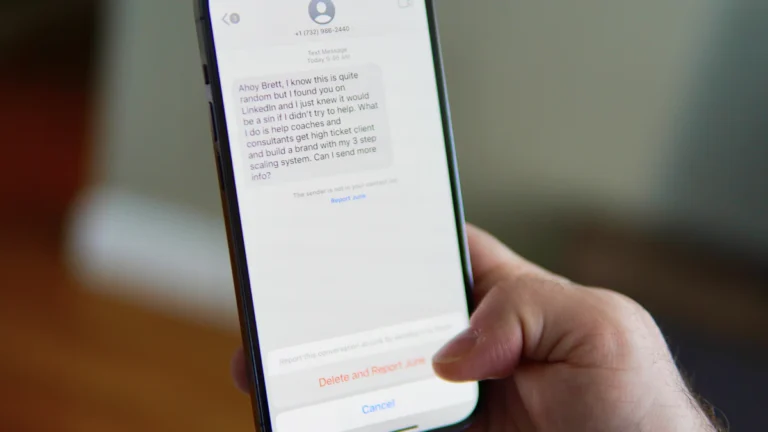
The major US carriers require businesses that send texts this way to register who they are and what they send. Registration goes through a central registry, and your provider (GHL, Twilio and others) submits it on your behalf. Unregistered traffic can be filtered or blocked, and the frustrating part is that you often get no clear error. The text just never arrives.
You need it if you text US customers from a local number through any platform, even if you only send appointment reminders. Toll-free numbers use a separate verification process, and short codes have their own approval. For most small businesses, a registered local number is the simplest route.
The two parts: brand and campaign
Brand registration
The brand is your business. You provide:
- the legal business name, exactly as it appears on your tax records;
- your EIN (US employer identification number);
- the business type and industry;
- the registered address, website and a contact person.
Very small businesses without an EIN can register as a sole proprietor, but that route has tighter limits and is meant for genuinely individual senders.
Campaign registration
The campaign describes what you send. You provide:
- a use case, such as customer care, account notifications or marketing, or a mixed use case;
- a description of who you text and why, written in plain sentences;
- sample messages, which should look like real texts you’ll send;
- an opt-in description explaining exactly how people agree to receive texts;
- opt-out and help responses, so STOP and HELP work;
- details such as whether messages contain links or phone numbers.
What your website needs before you apply
Reviewers look at your website to confirm the business is real and that people opt in properly. Fix these before you submit:
- A live website under the business name you’re registering. No “coming soon” pages.
- A privacy policy that says mobile information won’t be shared with third parties or affiliates for marketing or promotional purposes. Reviewers look for this specifically.
- SMS terms, either on their own page or in your terms of service: program name, the kind of messages, that frequency varies, that message and data rates may apply, how to opt out (reply STOP) and how to get help (reply HELP), and a support contact.
- A form with clear consent wording next to an SMS checkbox. The checkbox should be unticked by default and should not be required to submit the form. Link the privacy policy and terms right there.
If your forms live on WordPress, this is usually a small change. If you need the pages built properly, that’s part of my WordPress website design work.
Why A2P 10DLC registration gets rejected
These are the common reasons I see, roughly in order of how often they come up:
- The business name or EIN doesn’t match official records. A trading name instead of the legal name, an old address or a typo in the EIN is enough.
- The website doesn’t match the brand. Different name, no contact details, or a site that is not live.
- No privacy policy, or one without the no-sharing statement.
- The opt-in is vague or can’t be verified. “Customers opt in on the website” isn’t enough. Say where, show the wording, and give the URL so a reviewer can see the form.
- Sample messages don’t include the business name or opt-out language. At least one sample should end with something like “Reply STOP to opt out”.
- The use case does not match the samples. Promotional samples under a customer care use case get rejected.
- Public link shorteners in samples. Shared shorteners are often treated as a spam signal. Use your own domain.
- Restricted content. Some industries and topics face extra checks or aren’t allowed at all, such as cannabis, certain lending and anything carriers class as high risk.
- A pre-ticked or mandatory consent checkbox. Consent should be a choice, not a condition of filling in the form.
How to fix a rejected campaign
Read the rejection reason carefully. It’s often short, but it points to one of the items above. Then:
- fix the website or form first, so the evidence is live before anyone looks again;
- rewrite the description and opt-in so they match what the website shows, word for word where possible;
- adjust sample messages to include your business name and STOP language;
- resubmit once, with everything consistent.
Each resubmission can mean more waiting and sometimes an extra vetting fee, so it pays to get it right the first time rather than trying small changes one by one.
Checklist
- Legal name, EIN and address match your tax records exactly.
- Website is live under the same name, with contact details.
- Privacy policy includes the no-sharing statement for mobile data.
- SMS terms list frequency, rates, STOP and HELP.
- Forms show consent wording with an unticked, optional checkbox.
- Campaign description and opt-in description match the website.
- Sample messages include the business name and opt-out language.
- No public link shorteners anywhere in the samples.
If you would rather not deal with it yourself, A2P registration is part of every build in my GoHighLevel expert service.
If you’re working on this, these pair well with it: GoHighLevel pipeline stages that match how you actually sell and how to build a speed to lead workflow in GoHighLevel.
Questions people ask me
How long does A2P 10DLC approval take?
It varies. Some campaigns are approved within days, others take weeks, especially after a rejection. Start early and submit clean details once.
Do I need it if I only send appointment reminders?
Yes. The requirement covers business texting through software from a local number, whatever the content.
Can I send texts while my registration is pending?
You can try, but messages from unregistered numbers may be blocked or filtered by carriers. Don’t rely on SMS until the campaign is approved.
Does A2P 10DLC apply to Canadian numbers?
It is a US carrier system. Canada has its own rules, including consent requirements under its anti-spam law, so check those separately.
Get a free website review and I’ll check your forms, privacy policy and SMS terms against what reviewers look for.